
The right people, with the right access.
Assign roles, manage permissions and share workflows, so your team works efficiently with security and accountability built in.
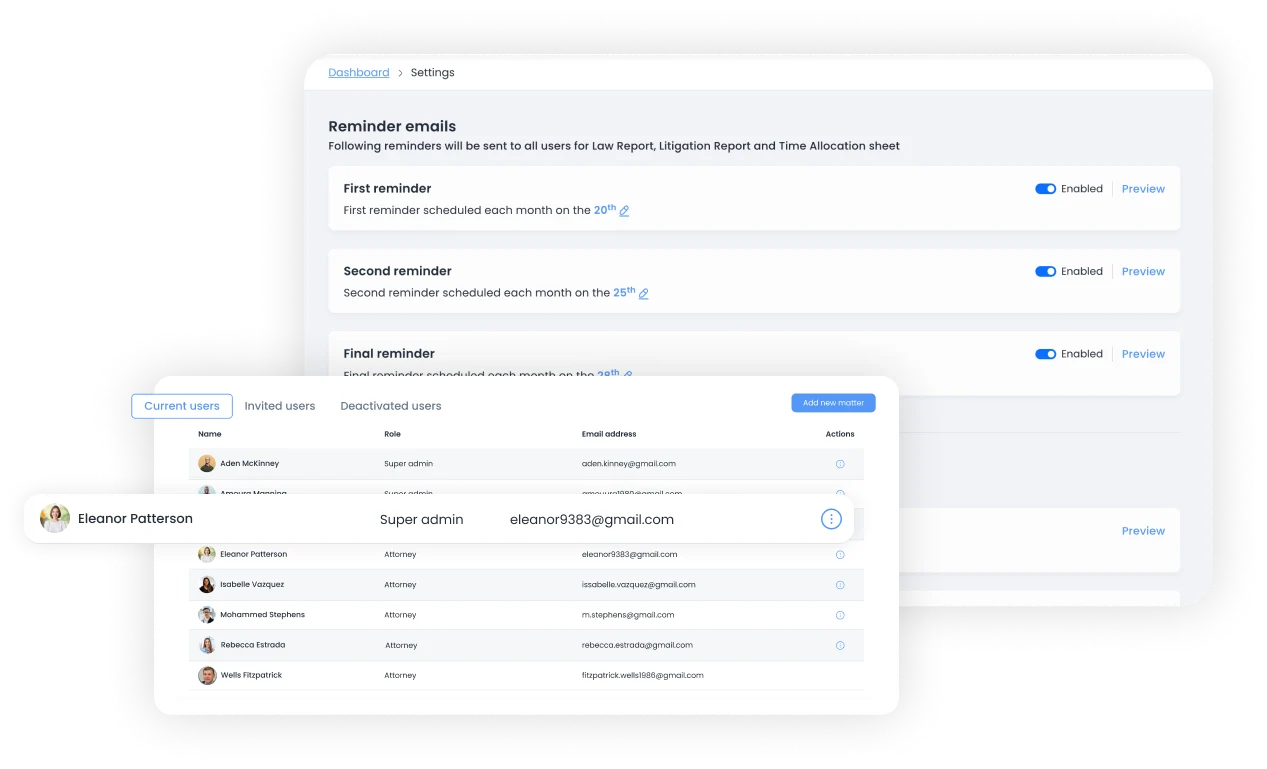
Collaboration with control built in.
Defined user roles and permissions keep work secure and accountable, without slowing your team down.

Role-based access
Control who has access to specific features and data.

Collaboration tools
Work together on shared documents and workflows.

Activity tracking
Monitor team activity with real-time dashboards.
Set roles once. Every permission follows.
Give each person a role, decide what that role can see and do, and let shared workflows carry the rest.
- User role assignmentGive every team member a defined role.
- Permissions managementControl access to features and data, role by role.
- Collaboration workflowsShare documents and workflows across the team.
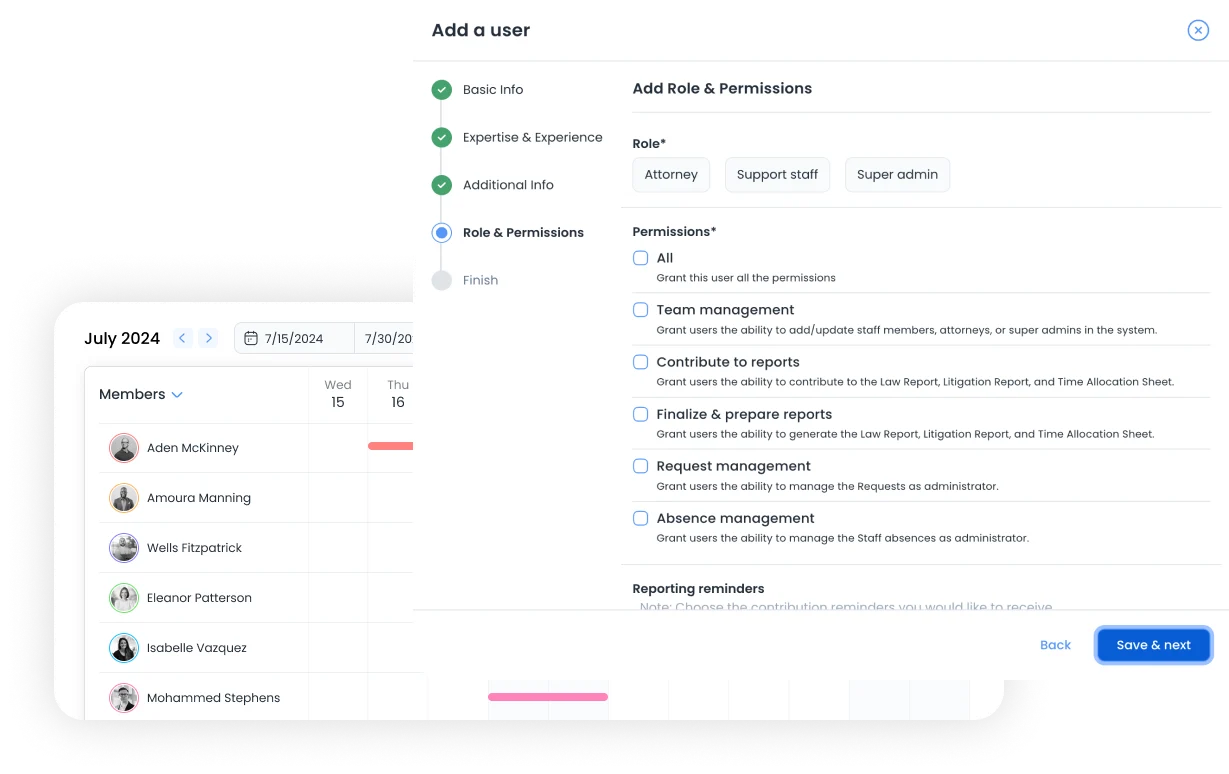
Secure, accountable, efficient.

Secure by role
People see the features and data their role allows, and nothing more.

Accountable by default
Defined roles mean every action has a clear owner.

Efficient collaboration
Shared workflows replace hand-offs and permission requests.


Clients, collaborators and co-innovators across industries




See it with your own team.
A walkthrough built around your department's real process.
Prefer to talk first? Contact our team